
Abnormal loads
The digital co-driver for abnormal loads
Truckroute is a system you may use in Germany as an e-Beifahrer, instead of a human co-driver: the app reads your VEMAGS permit, navigates along the route part (Fahrtwegteil) and announces every Auflage at the right moment, on screen and with its own German voice. In the app it is called the Elektronischer Beifahrer. It also works with a Dutch exemption and a Belgian permit, on a tablet, a phone, in Apple CarPlay and Android Auto.
Allowed as an e-Beifahrer in Germany
With Truckroute, VYS has developed a system that may be used in Germany as a digital co-driver (e-Beifahrer). Truckroute is built to the system requirements that apply in Germany to the digital co-driver for large and heavy transports: it follows the permitted route, announces every Auflage in time, audibly and visibly, and warns you when you leave the route.
If your permit requires a co-driver (RGST Auflage 21) and also contains Auflage 36, you use Truckroute instead of the human co-driver. For every transport you create the matching Funktionsbescheinigung in the app.
Every Auflage on time, in its place
Read in the PDF of your permit and choose the route part. On the way, the co-driver announces every Auflage as it is in the permit:
- Two announcements: audible at 2,000 m, audible and on screen at 500 m, then the start and the end at the place itself.
- On the map: the sign of the Auflage on the route and the stretch where it applies in orange.
- What to do: the lane, the WVZ installation, the speed, whether it only applies at night and the drawing of the safety plan.
- A voice of its own: the Auflagen in German with a different voice than the navigation, one after the other and never at the same time.
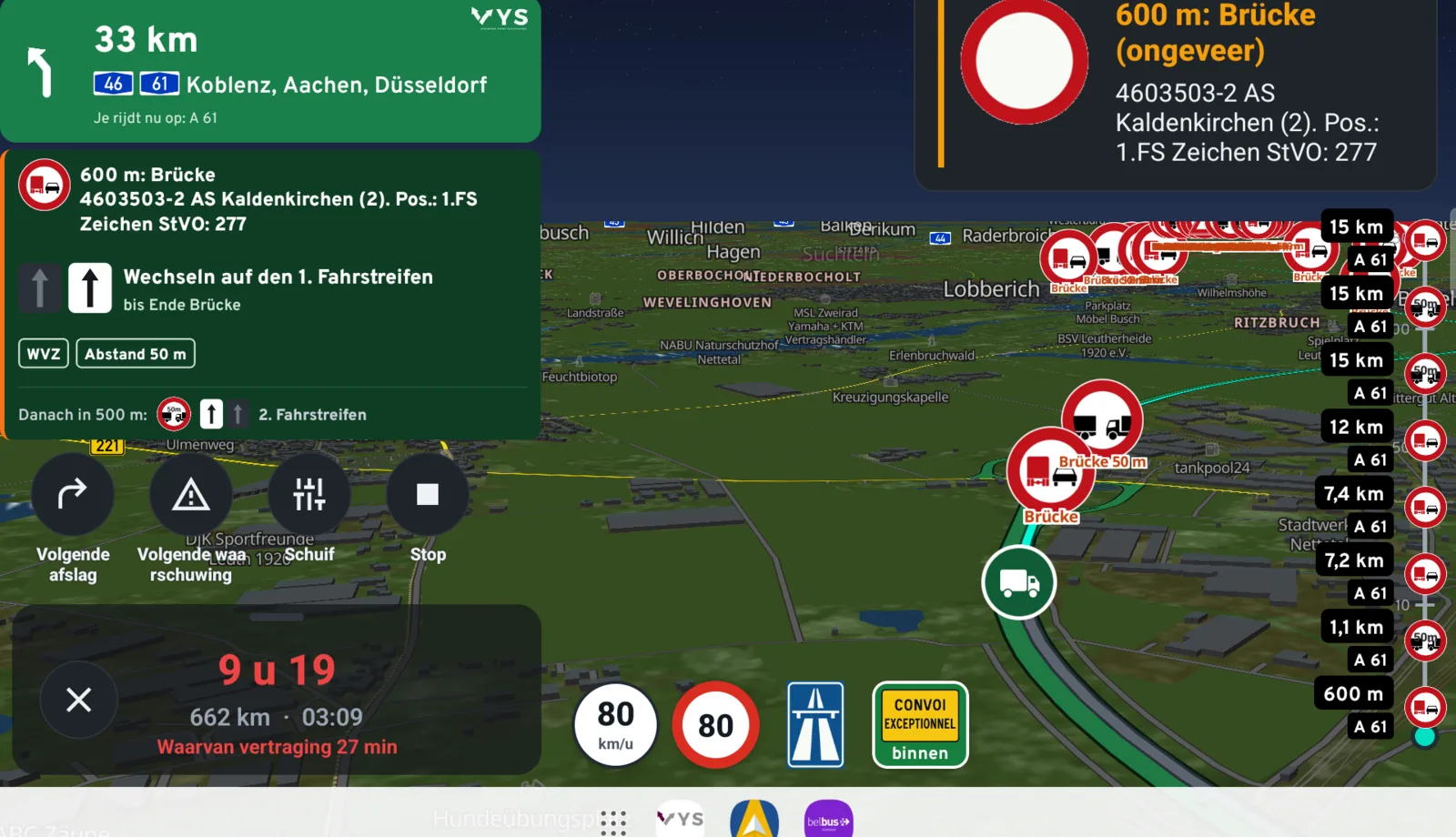
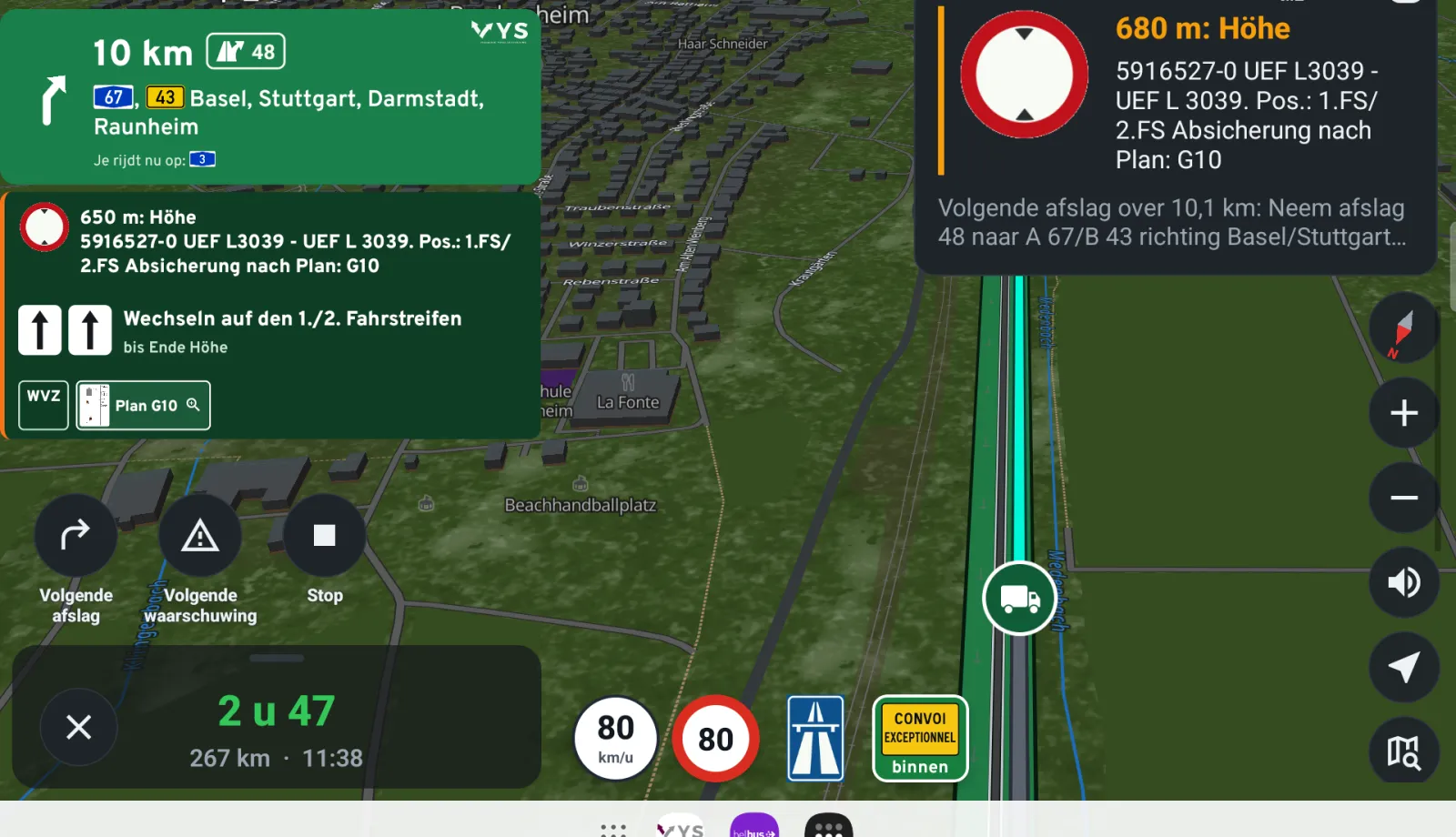
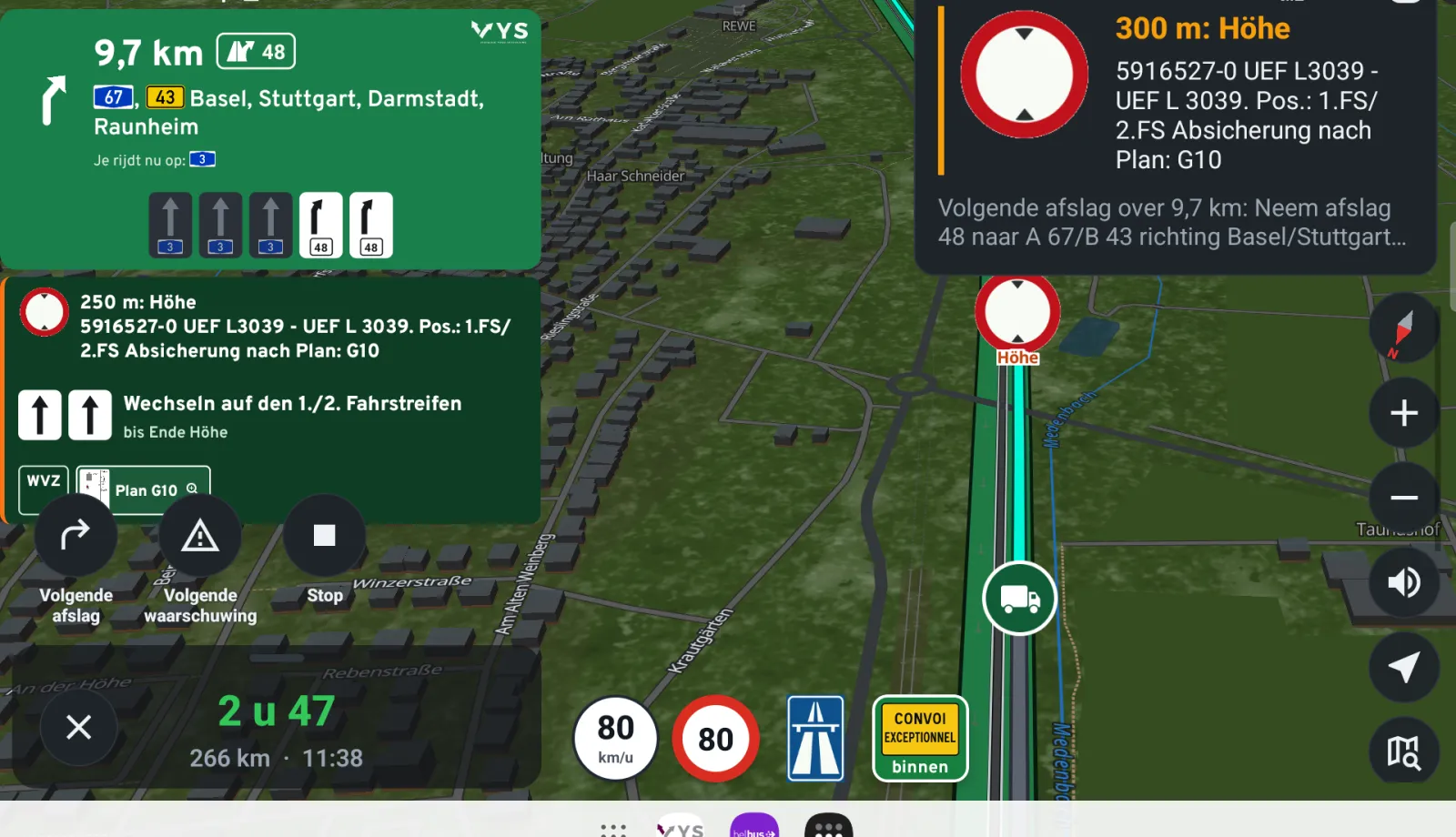
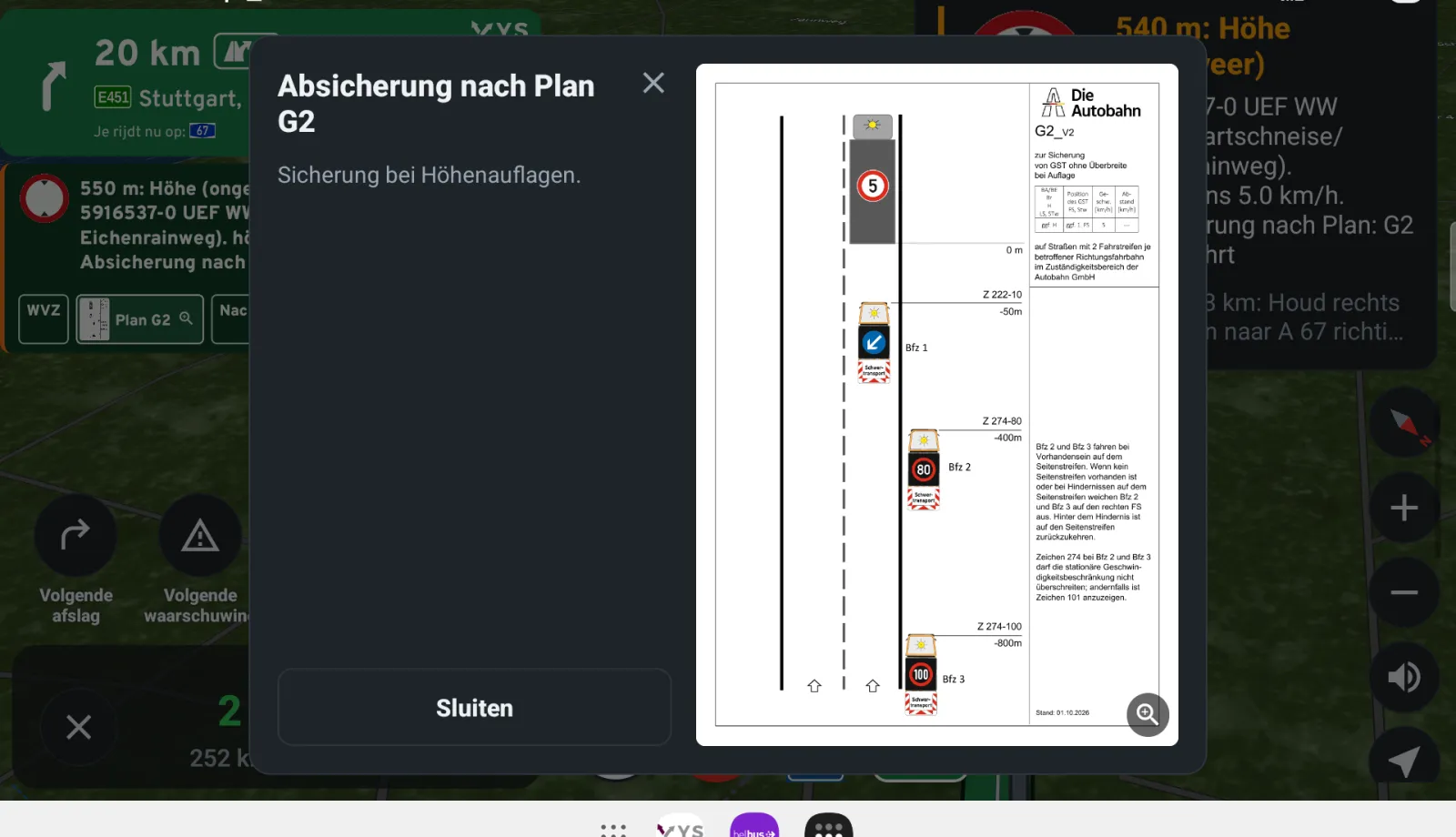
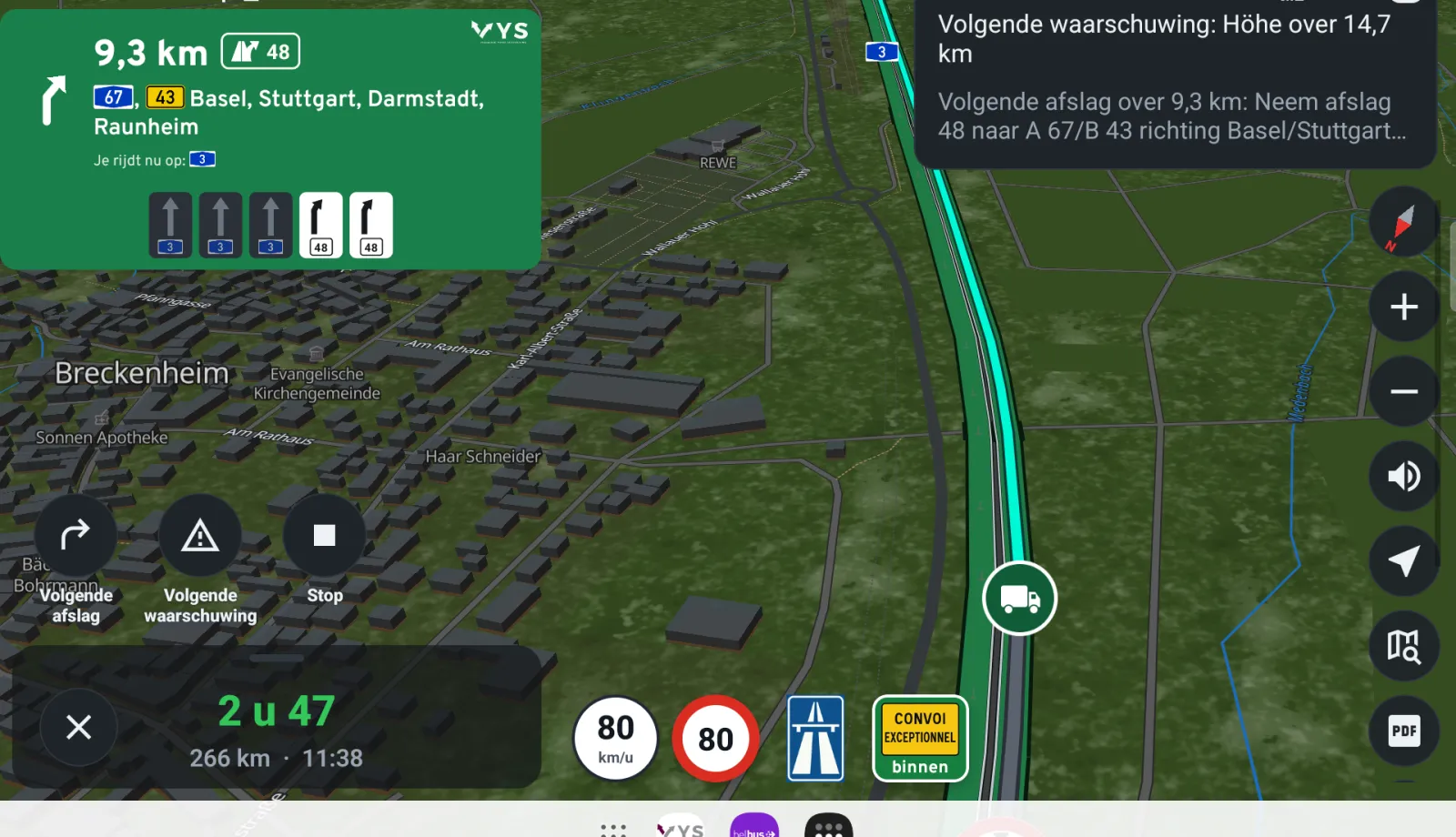
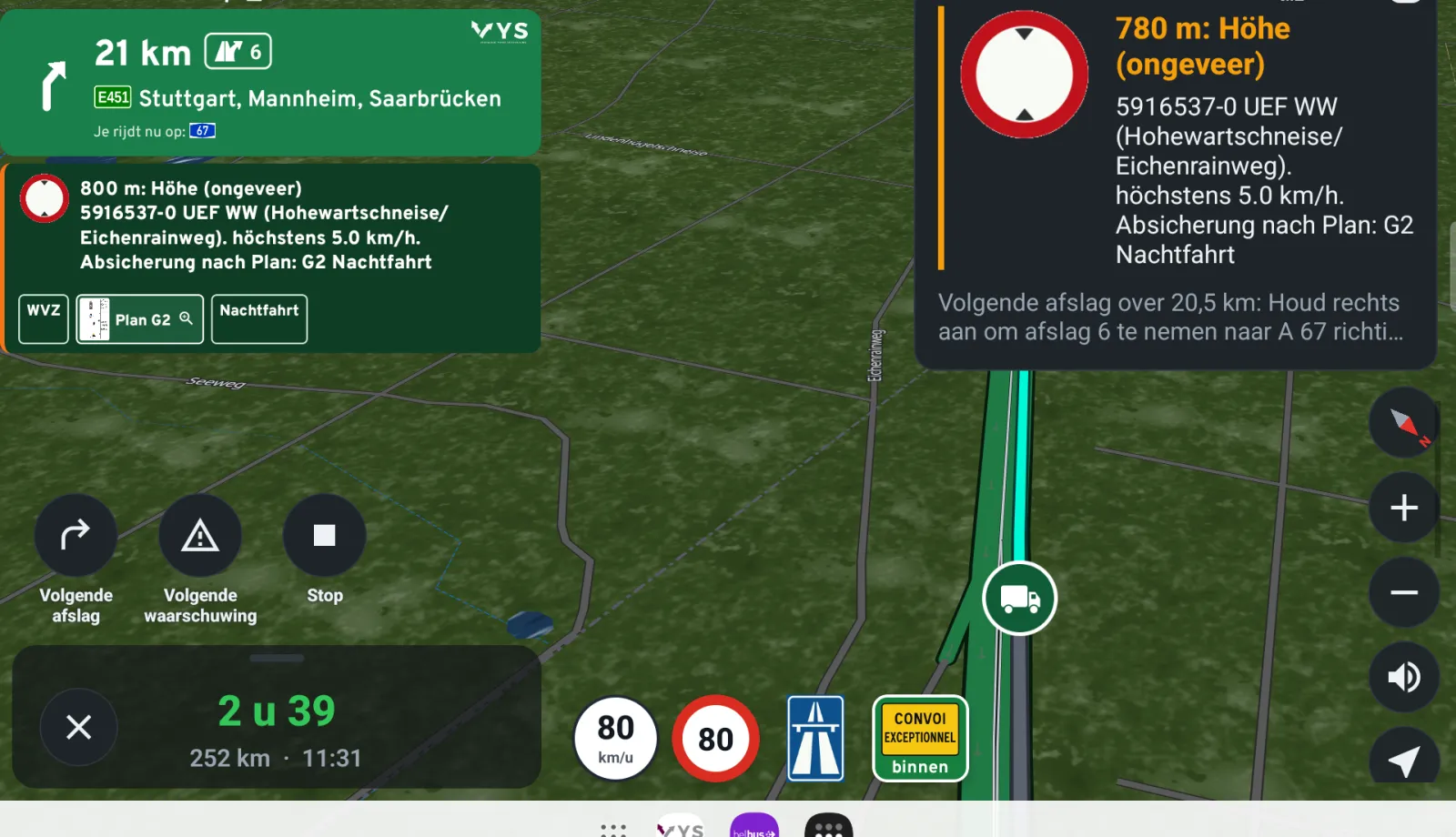
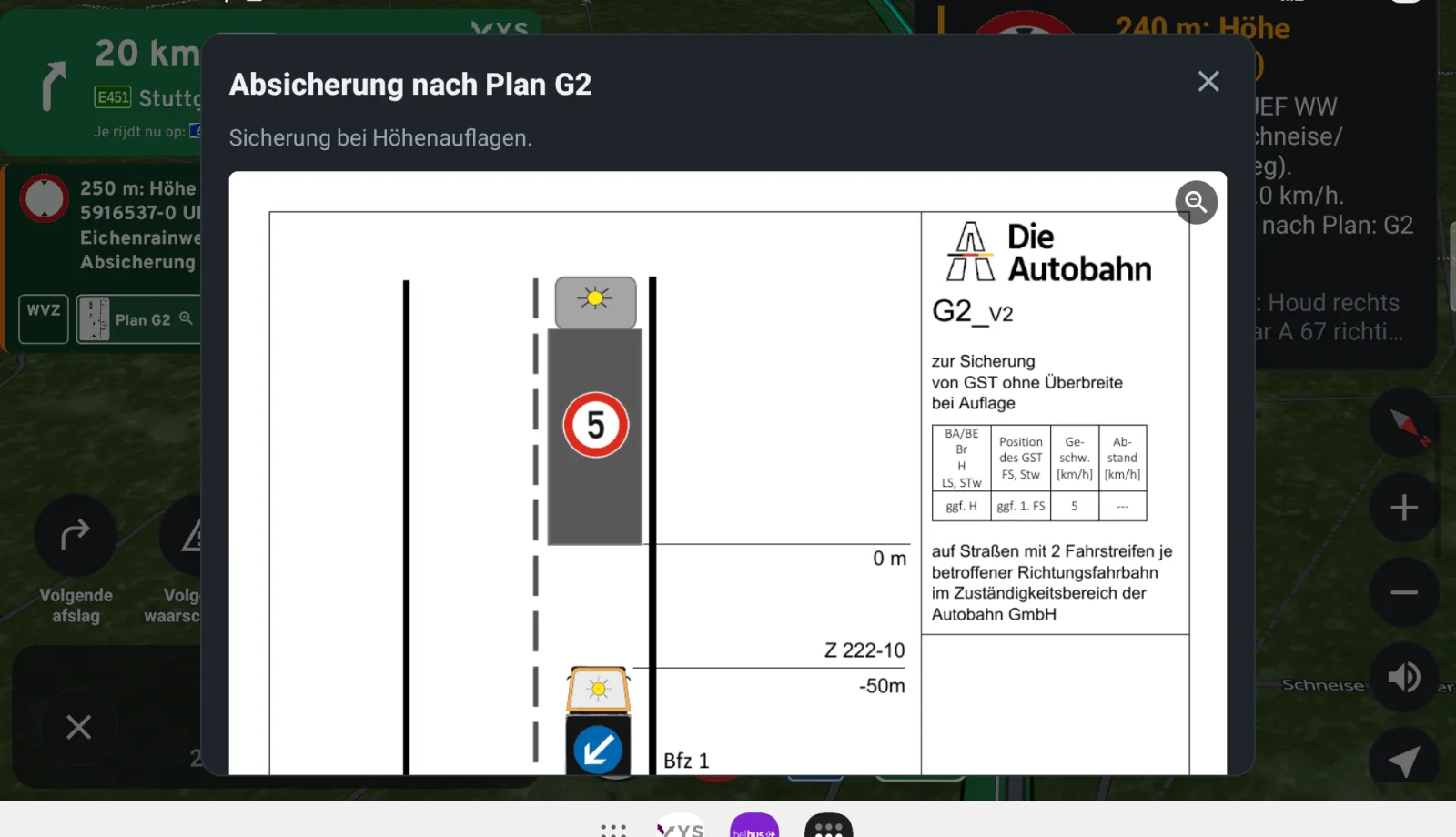
A warning when you leave the route
If you leave the permitted route, you get a red bar and a spoken warning in German, for at least 15 seconds and again every 20 seconds until you are back on the route. The navigation guides you back to the point where you left it, never further along. Your speed is always on screen during the trip.
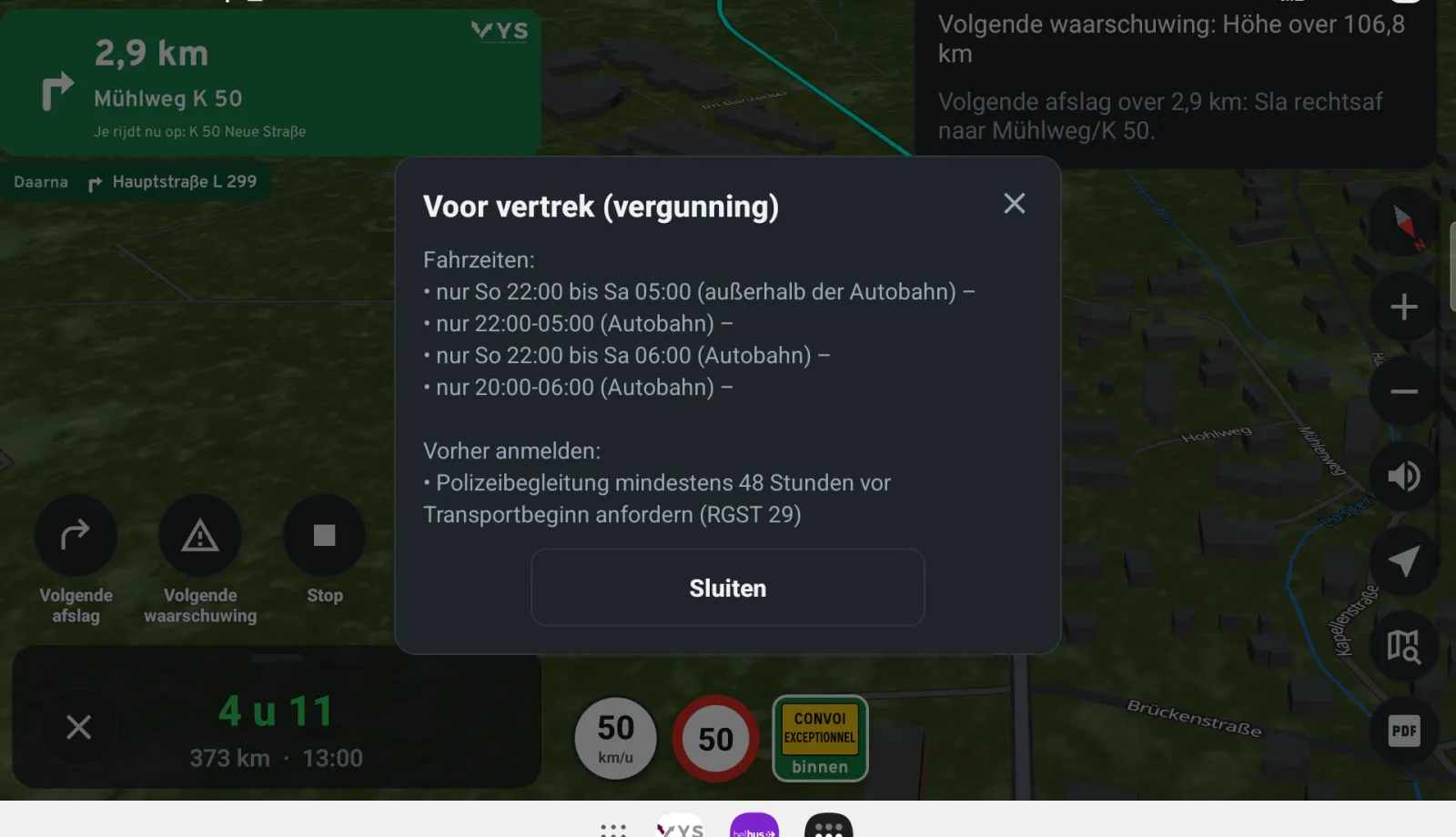
Before departure: driving times and a run-through
At the start you see the driving times from the permit, upcoming temporary driving bans and where to register in advance, such as the police escort. With Run through the trip in advance you drive the whole route as a simulation on the map, with every Auflage in its place.
The Funktionsbescheinigung from the app
With the permit you create the Funktionsbescheinigung as a PDF in the app, following the official German model. The app fills in the system, the provider, the route parts and the number of Auflagen; you fill in your name, how to reach you and the place, and you sign it yourself. Those details stay on your phone. The certificate travels with the transport and you show it at a check.
The same for the escort
The transport vehicle and the escort vehicles should use the same system with the same data. Share the permit from the app with a code; the escort then fetches exactly the same route part, with the same Auflagen.
Set it up under Exceptional
Under Settings, Exceptional you set up the co-driver the way you drive:
- The distance of the first and the second announcement, and all Auflagen earlier or later in steps of 100 m (up to 400 m).
- A signal at the end of an Auflage (Kling, Bing, Tada, Drop or none) and a closing sentence after the last one.
- Short announcements (only the type, the sign and the metres), the voice, and whether the start, the announcements and the navigation instructions are spoken.
- On the map all Auflagen, only the next one or the next two; or only the signs you place yourself according to the Anlage.
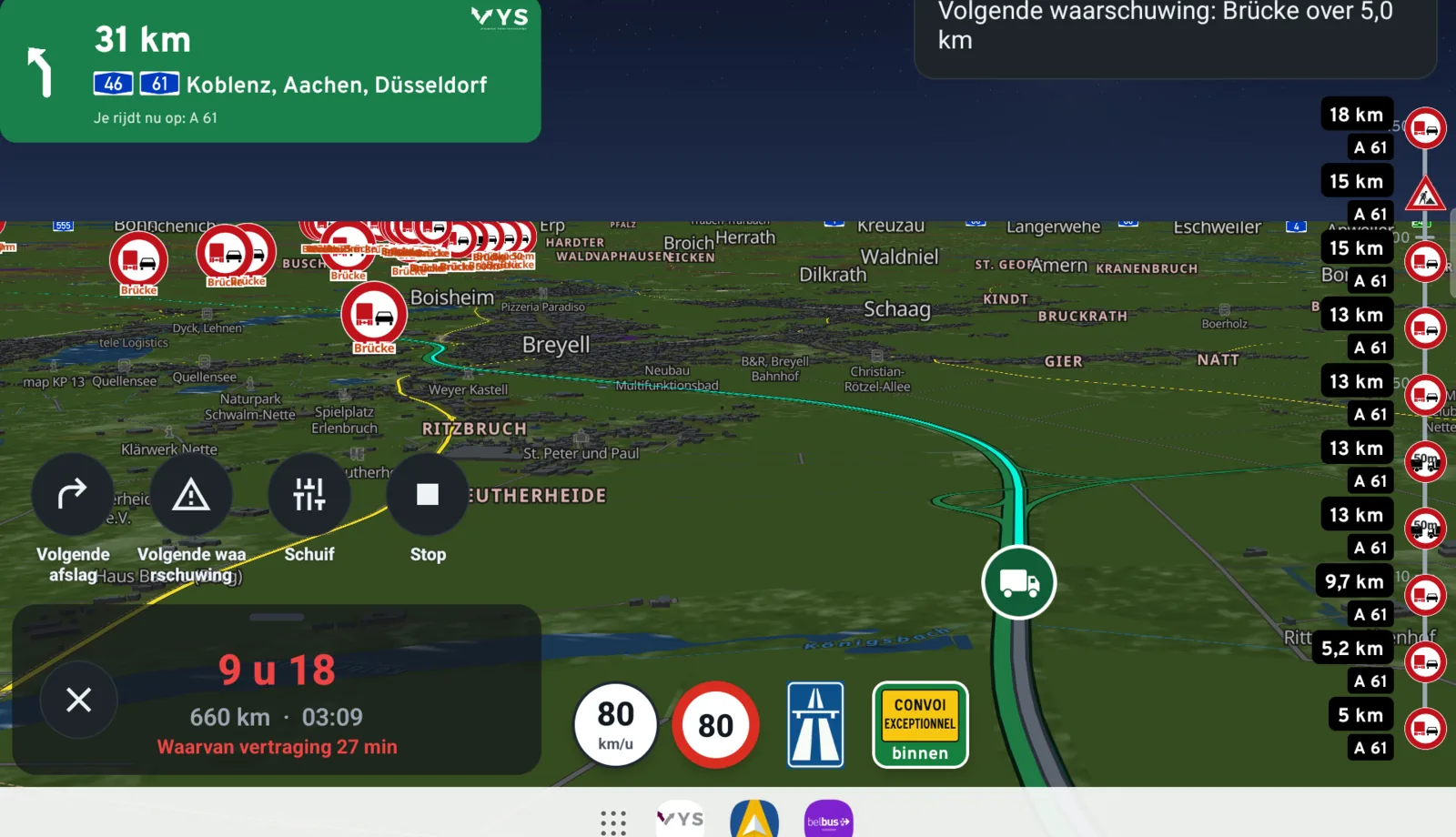
- On the right of the map a timeline of the next 150 km with the Auflagen, warnings and roadworks.
- The co-driver on or off per country: Germany, the Netherlands and Belgium.
In the Netherlands and Belgium too
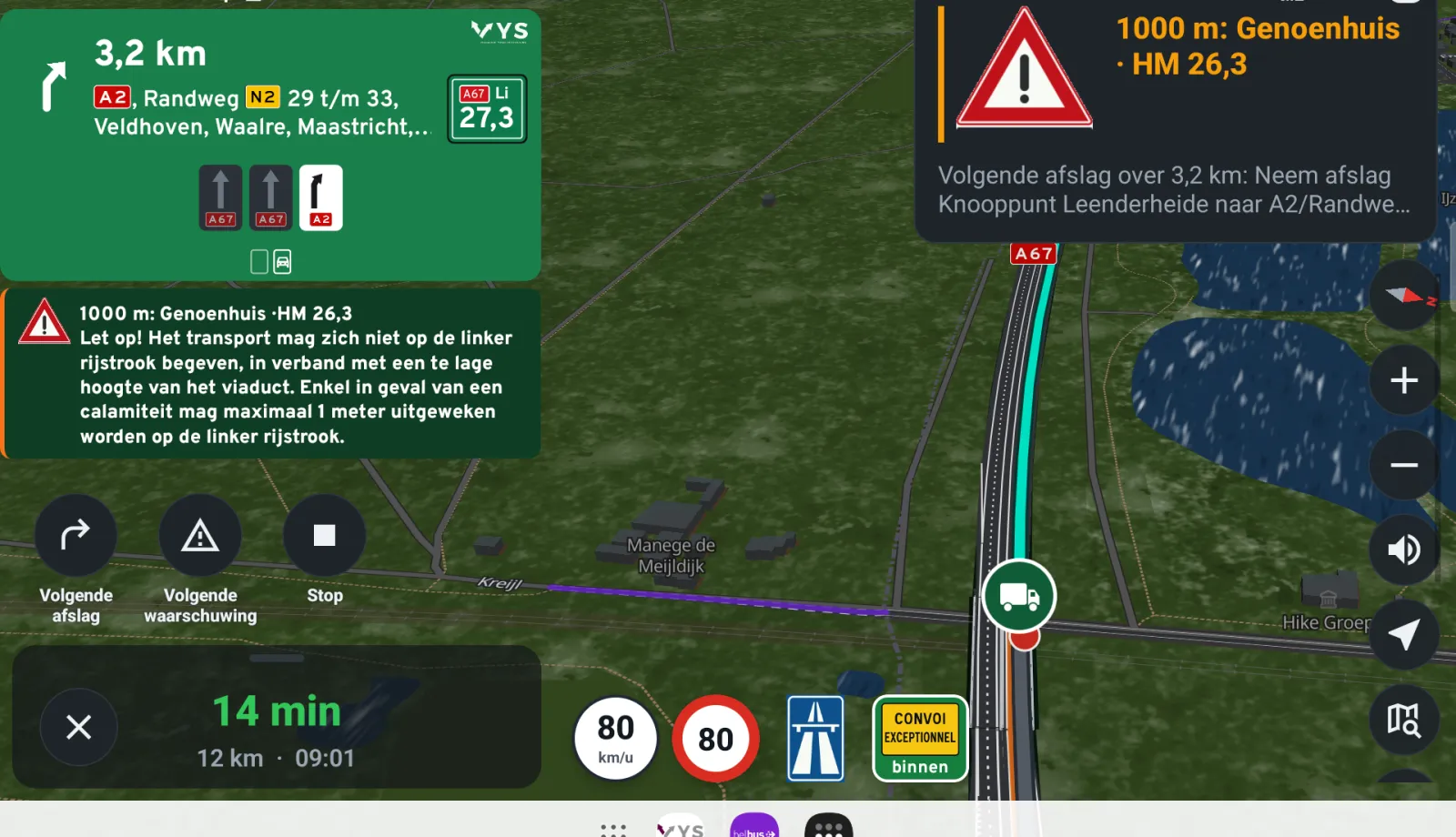
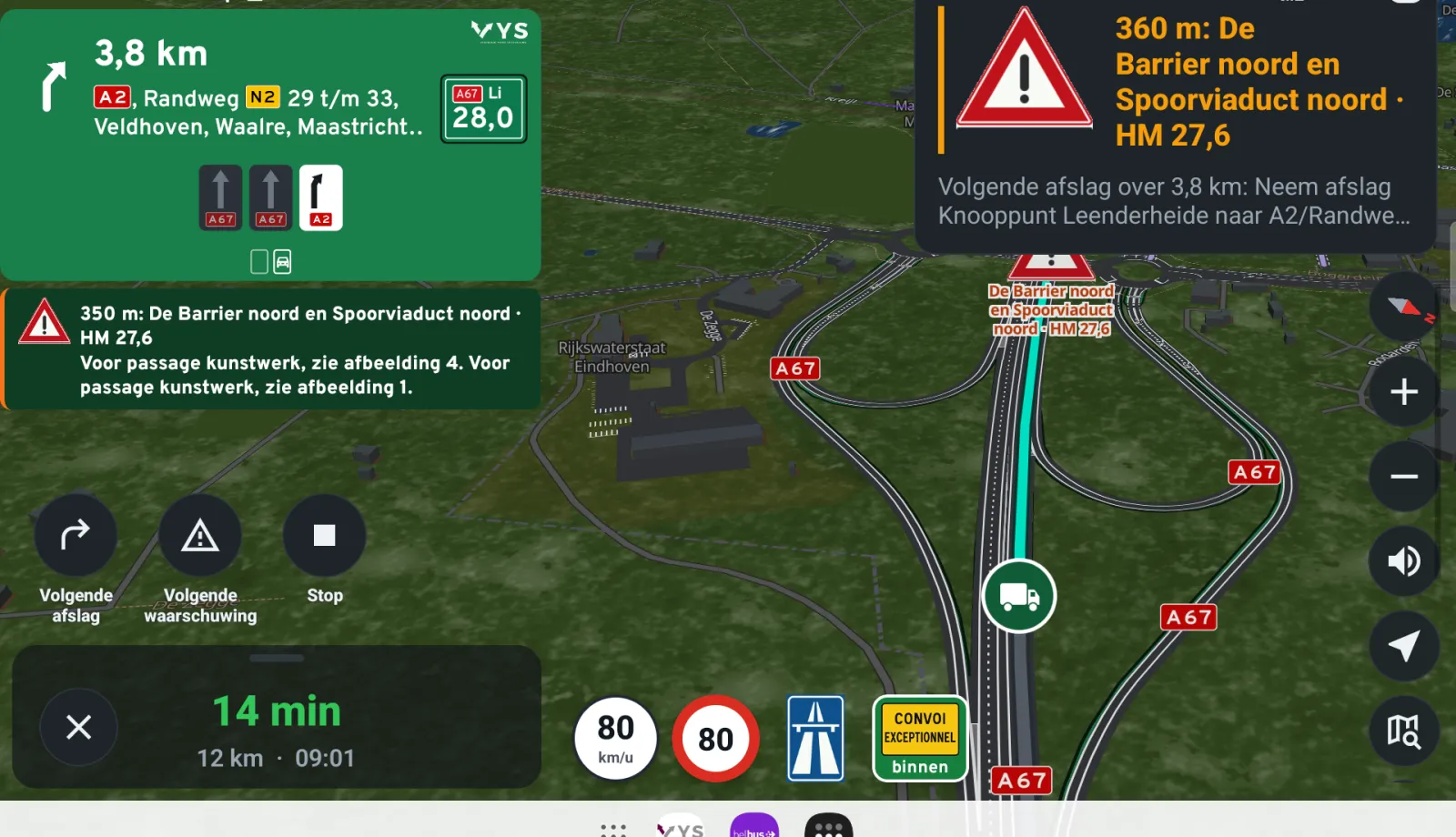
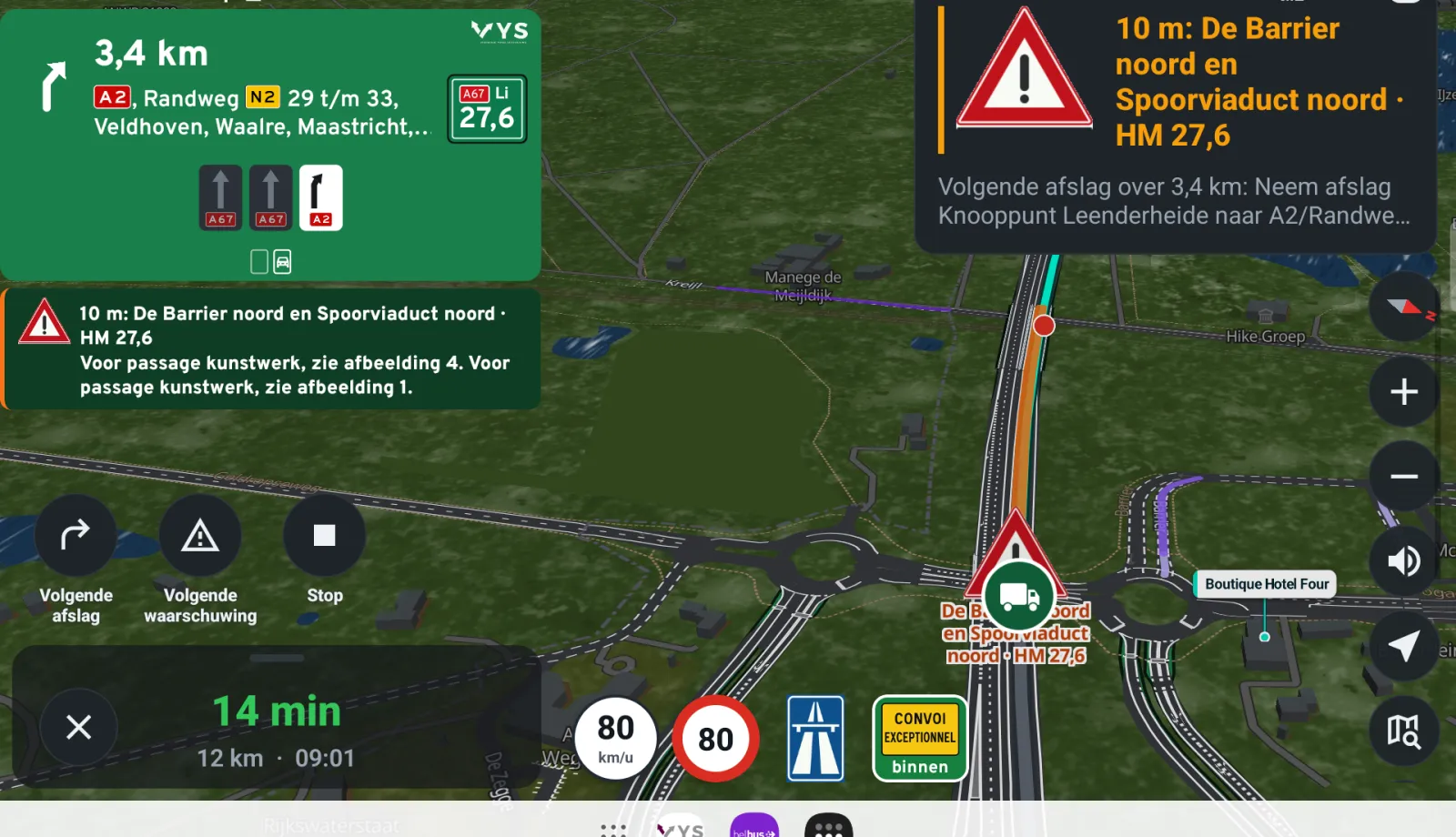
With a Dutch exemption, the co-driver announces every structure for which the RDW sets a passage condition: at 2 km with the condition, at 500 m and at the structure itself, with the hectometre and the RDW drawing for "see figure". With a Belgian permit, it announces the remarks from the itinerary and the structures with a tight clearance height, in the language of the permit.
More about the navigation on navigation for abnormal loads.
Tablet, CarPlay and Android Auto
On a tablet, the announcement and the map are side by side in landscape. The system requirements ask for a screen of at least 9 inches in a fixed holder, without blocking the view and powered by the vehicle. The co-driver announcements are also in Apple CarPlay and Android Auto, with the RDW drawing for a Dutch structure.
The permit remains binding
The co-driver does not replace a permit and does not take over the responsibility of the transport company. Whoever reads the permit into the app is the Systemverantwortliche and signs the Funktionsbescheinigung. In case of a difference, the permit itself, the traffic signs and the instructions of the escort and the police always prevail.
Frequently asked questions
May I use Truckroute in Germany as an e-Beifahrer?
Yes. Truckroute is built to the German system requirements for the digital co-driver. If your permit contains Auflage 36, you use Truckroute instead of a human co-driver, with the Funktionsbescheinigung you create in the app and sign yourself.
Does the app read my VEMAGS permit itself?
Yes. You choose the PDF of the permit; the app reads the routes and the Auflagen and puts every Auflage in its place on the route.
Can the escort see the same?
Yes. You share the permit with a code, and the escort drives with the same route part and the same Auflagen.
Can I make the announcements come earlier or later?
Yes. Under Exceptional you set the distance of both announcements and move all Auflagen earlier or later in steps of 100 m, up to 400 m.
Read also
- Navigation for abnormal loads: Navigate abnormal loads along your permit: every structure with its passage condition, and the German Auflagen with plan and lane.
- Abnormal loads: from exemption to navigation: Fetch your Dutch exemption by its number, read in your Belgian or German permit as a PDF and navigate exactly along the permitted route.
- Exemption for abnormal loads: annual or one-off: Annual exemption up to 27.50 m, 3.50 m, 4.25 m and 100,000 kg on the green roads, or a one-off exemption per route. How to choose, and how to plan the route.
Sources: VEMAGS: digital co-driver (requirements and Funktionsbescheinigung).
Try it on your own trips
New? Create an account with your e-mail address and try the route planner free for 7 days. A demonstration or a rate for your whole fleet? Contact VYS Scheduling BV: info@truckroute.nl or +31(0)85-4013599.
All amounts exclude VAT. Truckroute results are an indication; exemptions, signs and the official maps prevail, and no rights can be derived from these pages or the route planner. Privacy
All topics
New
Route and restrictions
Navigation and CarPlay
Charges and tolls
LHV
Abnormal loads
- Abnormal loads: from exemption to navigation
- Navigation for abnormal loads
- The digital co-driver for abnormal loads
- The German GST route network in Truckroute
- Mobile crane in Germany: conditions and bans
- Route for abnormal loads
- Exemption for abnormal loads: annual or one-off
- Legal dimensions and weights of a truck
- Route for high loads above 4 metres
- Route for wide loads
- Route for heavy loads above 50 tonnes
- Route for long loads
- Plan a route over the RDW exemption roads (DWO)
Dangerous goods and tunnels
Coach and bus
Cranes
Agriculture and parcels
- Navigation for agricultural vehicles
- Tractor navigation app: how to set it up
- Route over the agricultural road map
- May a tractor use the expressway or motorway?
- Sign C8: closed to agricultural vehicles
- How fast may a tractor go: 25 or 40 km/h
- Navigation for agricultural contractors and farms
- Navigating to a cadastral parcel
Driving bans
- Driving bans for trucks in Europe
- Truck driving ban Belgium
- Truck driving ban Bulgaria
- Truck driving ban Cyprus
- Truck driving ban Denmark
- Truck driving ban Germany
- Truck driving ban Estonia
- Truck driving ban Finland
- Truck driving ban France
- Truck driving ban Greece
- Truck driving ban Hungary
- Truck driving ban Iceland
- Truck driving ban Ireland
- Truck driving ban Italy
- Truck driving ban Croatia
- Truck driving ban Latvia
- Truck driving ban Liechtenstein
- Truck driving ban Lithuania
- Truck driving ban Luxembourg
- Truck driving ban Malta
- Truck driving ban Netherlands
- Truck driving ban Norway
- Truck driving ban Austria
- Truck driving ban Poland
- Truck driving ban Portugal
- Truck driving ban Romania
- Truck driving ban Slovenia
- Truck driving ban Slovakia
- Truck driving ban Spain
- Truck driving ban Czechia
- Truck driving ban United Kingdom
- Truck driving ban Sweden
- Truck driving ban Switzerland
- Sunday driving ban for trucks
- Truck driving bans on public holidays
- Summer driving bans for trucks
- Truck driving bans at Christmas and New Year
- Truck driving ban calendar 2026
- Truck driving ban calendar 2027
Zero-emission zones per city
- Zero-emission zone 's-Hertogenbosch: truck route and exemption
- Zero-emission zone Almere: truck route and exemption
- Zero-emission zone Alphen aan den Rijn: truck route and exemption
- Zero-emission zone Amersfoort: truck route and exemption
- Zero-emission zone Amsterdam: truck route and exemption
- Zero-emission zone Apeldoorn: truck route and exemption
- Zero-emission zone Arnhem: truck route and exemption
- Zero-emission zone Assen: truck route and exemption
- Zero-emission zone Breda: truck route and exemption
- Zero-emission zone Delft: truck route and exemption
- Zero-emission zone Den Haag: truck route and exemption
- Zero-emission zone Deventer: truck route and exemption
- Zero-emission zone Ede: truck route and exemption
- Zero-emission zone Eindhoven: truck route and exemption
- Zero-emission zone Enschede: truck route and exemption
- Zero-emission zone Gouda: truck route and exemption
- Zero-emission zone Groningen: truck route and exemption
- Zero-emission zone Haarlem: truck route and exemption
- Zero-emission zone Haarlemmermeer: truck route and exemption
- Zero-emission zone Leiden: truck route and exemption
- Zero-emission zone Maastricht: truck route and exemption
- Zero-emission zone Nijmegen: truck route and exemption
- Zero-emission zone Rotterdam: truck route and exemption
- Zero-emission zone Tilburg: truck route and exemption
- Zero-emission zone Utrecht: truck route and exemption
- Zero-emission zone Venlo: truck route and exemption
- Zero-emission zone Zwolle: truck route and exemption