
App
The Truckroute app for iPhone and CarPlay
Navigation for trucks based on your number plate: the route avoids signs for height, width, weight and axle load, and on the way you see live traffic, overhead signs, lanes and overtaking bans. On your iPhone and on the screen in the cab with Apple CarPlay.
A route that fits your truck
- By number plate: dimensions, weight and Euro class come from the Dutch vehicle authority (RDW).
- Signs for height, width, length, weight and axle load, and roads closed to trucks, each sign placed on the right road. Height and width also count close to the destination.
- Avoids narrow roads and sharp bends, and never turns around on a provincial road.
- ADR tunnel categories per load, LHV over the RDW network for longer heavier vehicles and abnormal loads.
- Loading and unloading: around your address the route may pass through an area with a truck ban, with a notice.
Live on the road
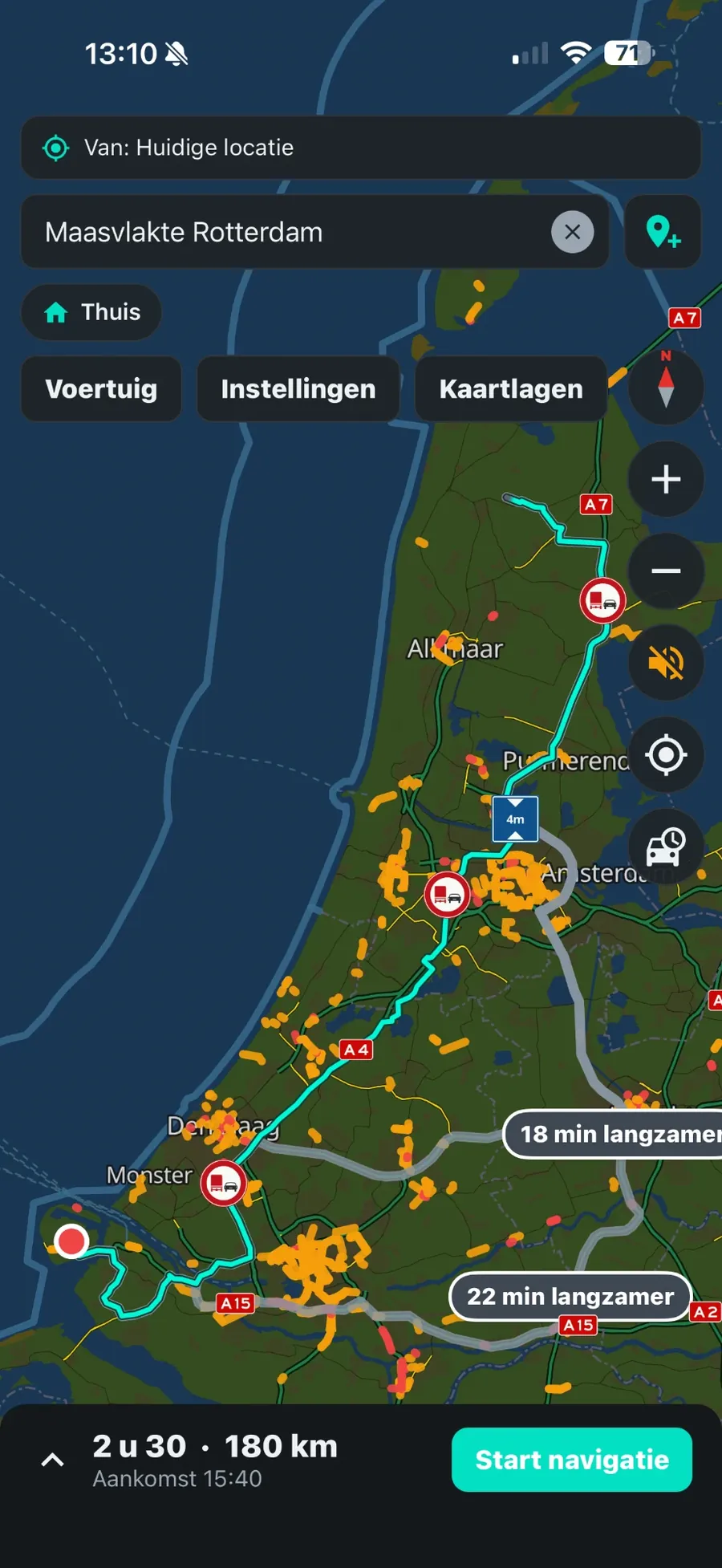
- Traffic jams and delays live in the route, and a list with the cause (accident, roadworks).
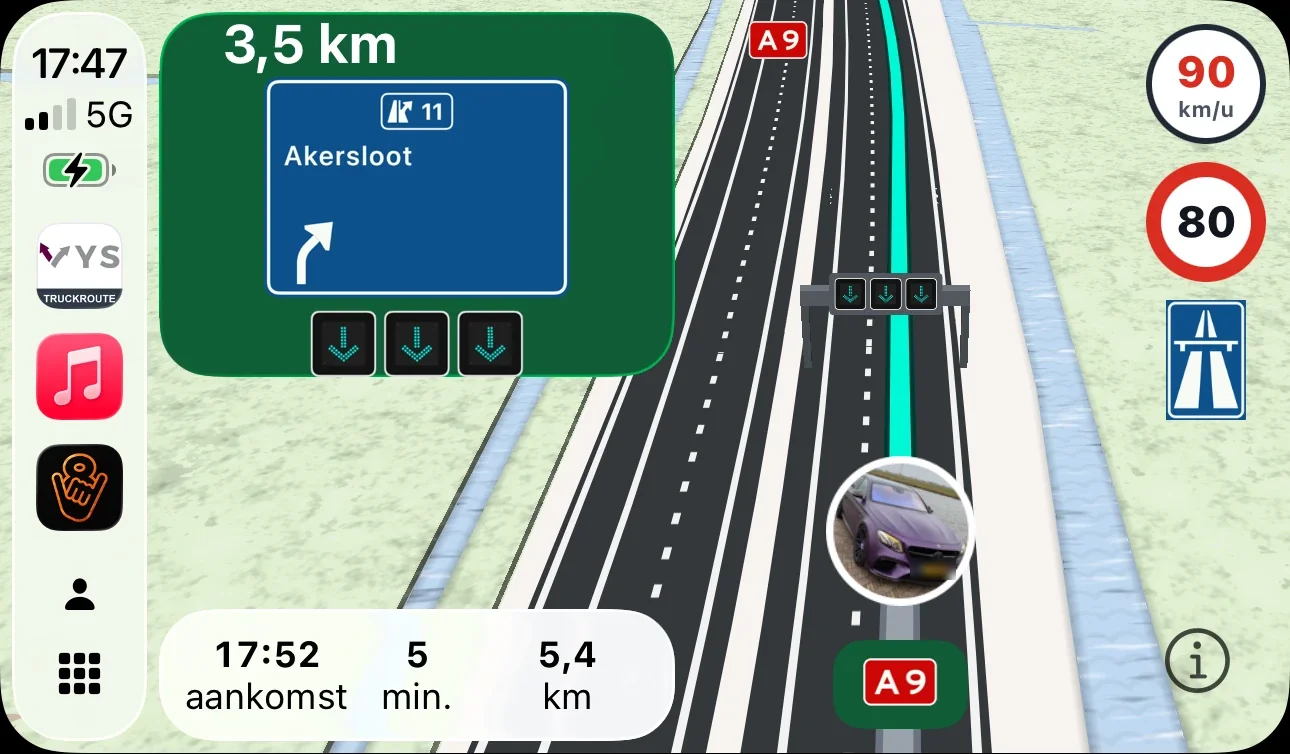
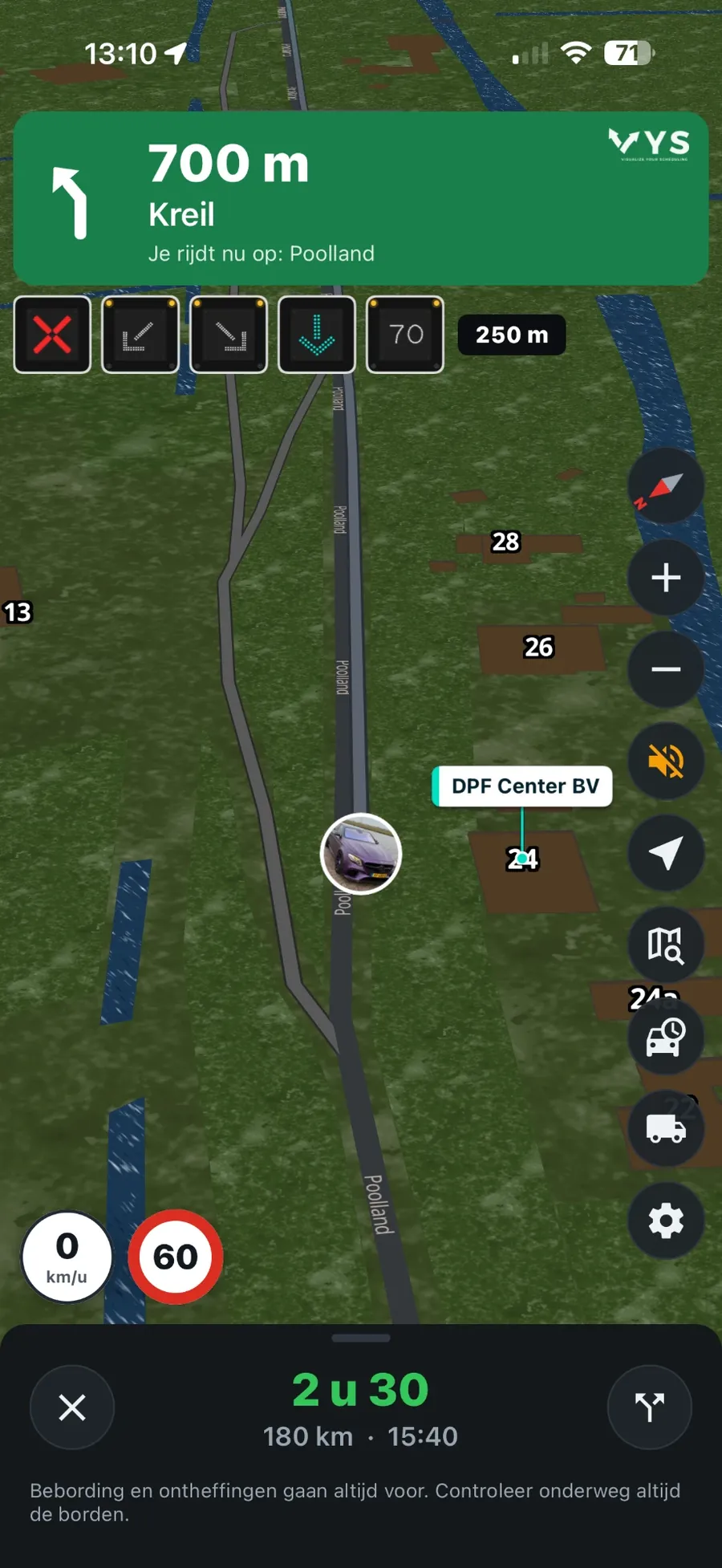
- Overhead signs above the motorway per lane: speed, red cross and arrows, only when something is shown.
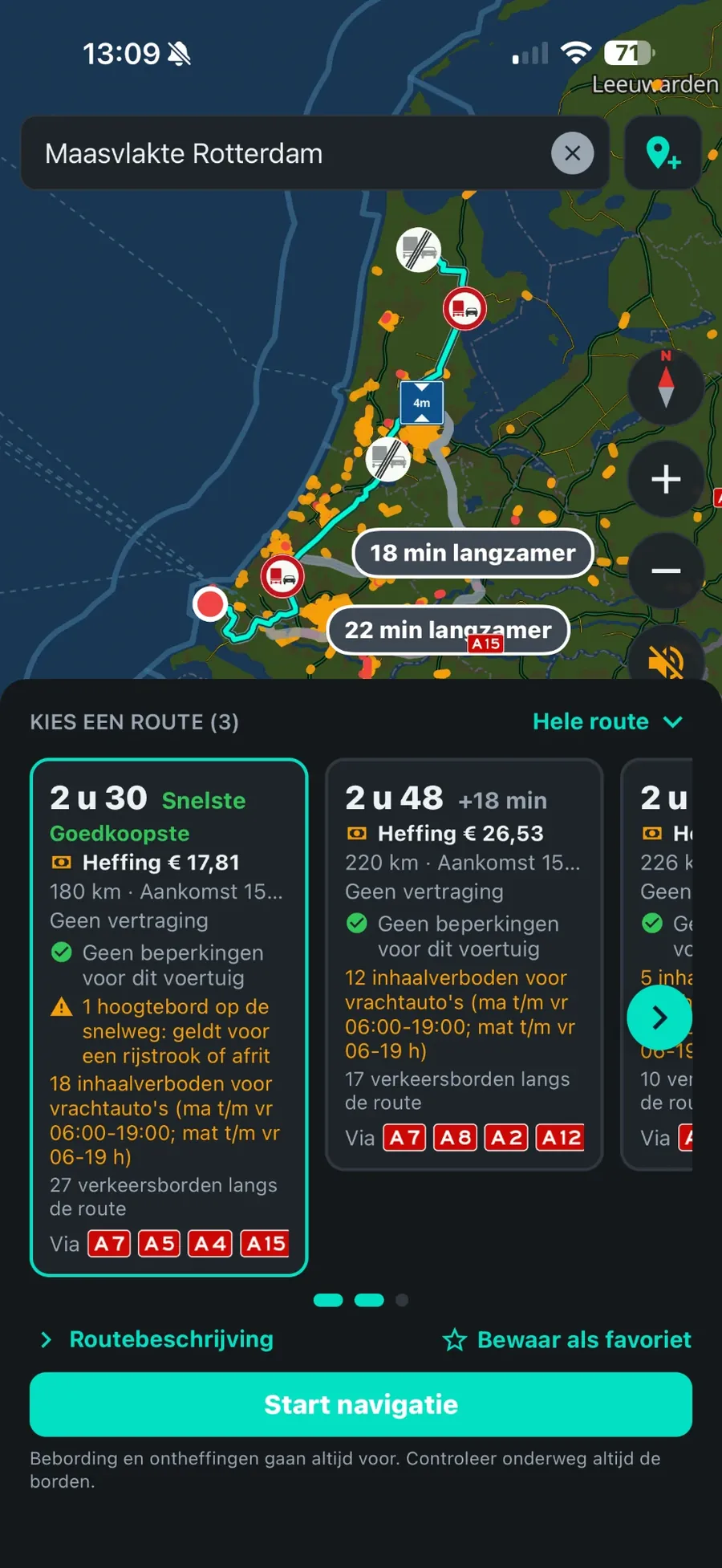
- Overtaking bans for trucks only when they apply now, up to the end sign.
- Temporary speed limits at roadworks, and for a truck never a speed above 80 km/h.
- Road closures and roadworks during your trip, and bridge openings at the moment you reach the bridge.
- Which live data we have per country: live traffic per country.
Lanes and voice guidance
- At every exit and junction you see which lanes to take, also where an ordinary route planner gets it wrong, such as the Zaandam junction from the A7 to the A8.
- Voice guidance, also with the screen off.
- The road you are on and your speed next to the speed limit.
Warnings in your direction
- Arrow boards of the road authorities: once, 1 km ahead, with sound and text.
- Speed and red-light cameras only in your direction, and average speed checks only on your carriageway, with the times they apply.
Stopping on the way
- Truck parks with live free spaces and facilities, and parking places with the "trucks only" sign along the route.
- Fast chargers for trucks and charging points with power, connectors and live availability.
- Search businesses and addresses by name or address, and at the destination the house numbers and business names nearby.
Low-emission zones and charges
- Low-emission and zero-emission zones by number plate, also abroad: the route goes around them if your vehicle may not enter.
- The truck charge and tolls per route, and "cheapest" weighs charge, driving time and fuel.
Apple CarPlay
- The map, the route, the lanes and the next turn on the screen in the cab.
- Overhead signs and the speed limit to the right of the map.
- More on the page CarPlay for trucks.
Account and privacy
- Log in with your e-mail address and a code sent by e-mail; no password needed. The same account as on the website.
- The app only uses your location to navigate. Read the privacy statement.
Frequently asked questions
Which phones is the app for?
For the iPhone, with Apple CarPlay. There is no Android version yet.
Where does the navigation work?
Routes in the Netherlands, Belgium, Luxembourg, Germany, France and Spain. Most of the live information (overhead signs, overtaking bans, cameras) is for the Netherlands.
Does the app overrule the signs?
No. Signs and exemptions always prevail; always check the signs on the way.
Where does the data come from?
From official sources such as the RDW, Rijkswaterstaat and the NDW, and from OpenStreetMap; the cameras from OpenStreetMap (contributors, ODbL) and SCDB.info.
Try it on your own trips
New? Create an account with your e-mail address and try the route planner free for 7 days. A demonstration or a rate for your whole fleet? Contact VYS Scheduling BV: info@vysscheduling.nl or +31(0)85-4013599.
All amounts exclude VAT. Truckroute results are an indication; exemptions, signs and the official maps prevail, and no rights can be derived from these pages or the route planner. Privacy